Everything a site needs, in one box
One supplier for the whole chain: the unit the site's systems run on, the managed connection they report over, and every cable and adapter in between. Specified against the instruments actually on that bench, and looked after from a distance once it is in.
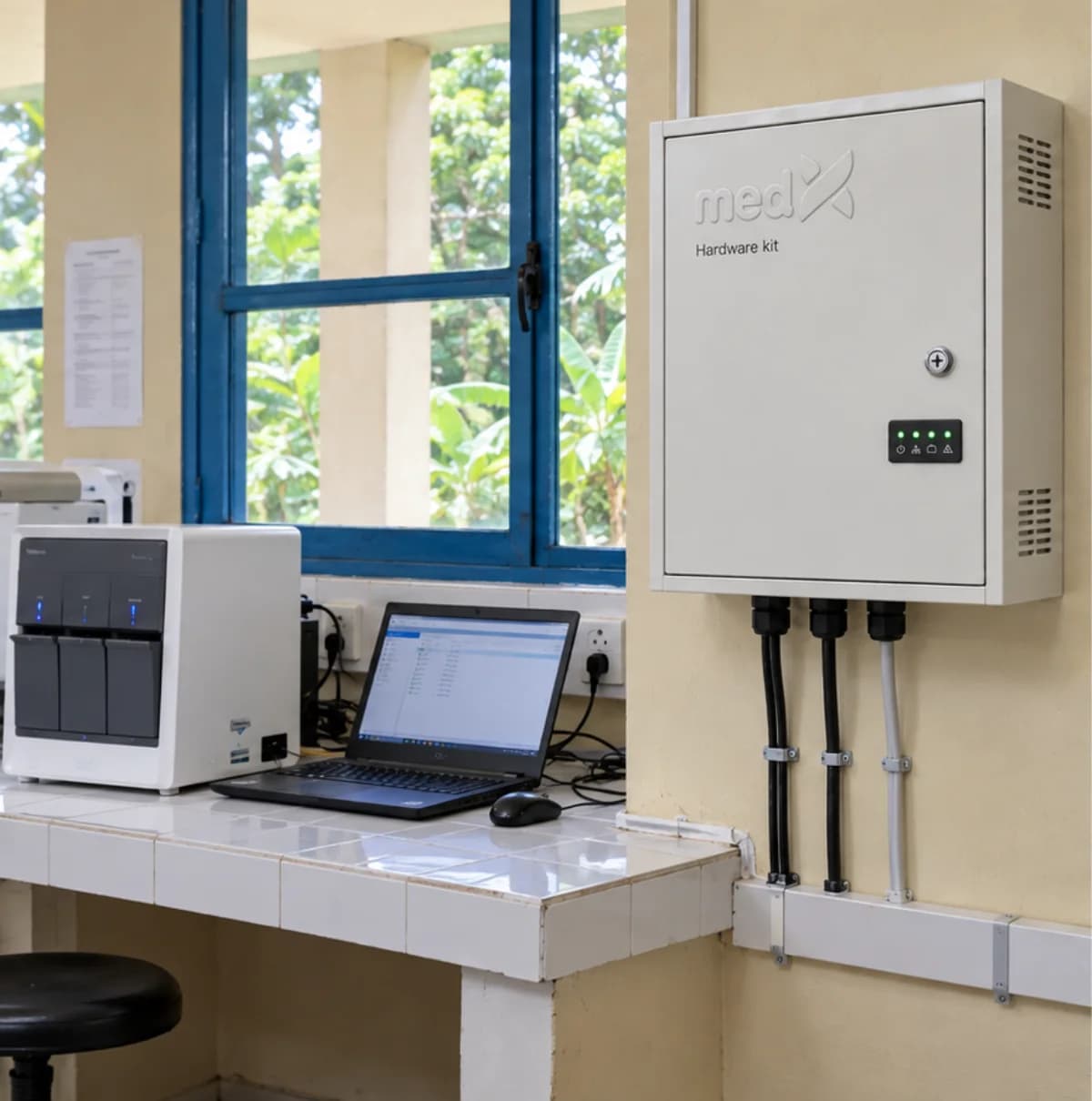
Where the systems run
400 × 300 × 200 mm
500 × 400 × 210 mm
600 × 500 × 250 mm
Mini PC, 4 cores, 16-32 GB
512 GB to 1 TB SSD
Backup power, sized on load
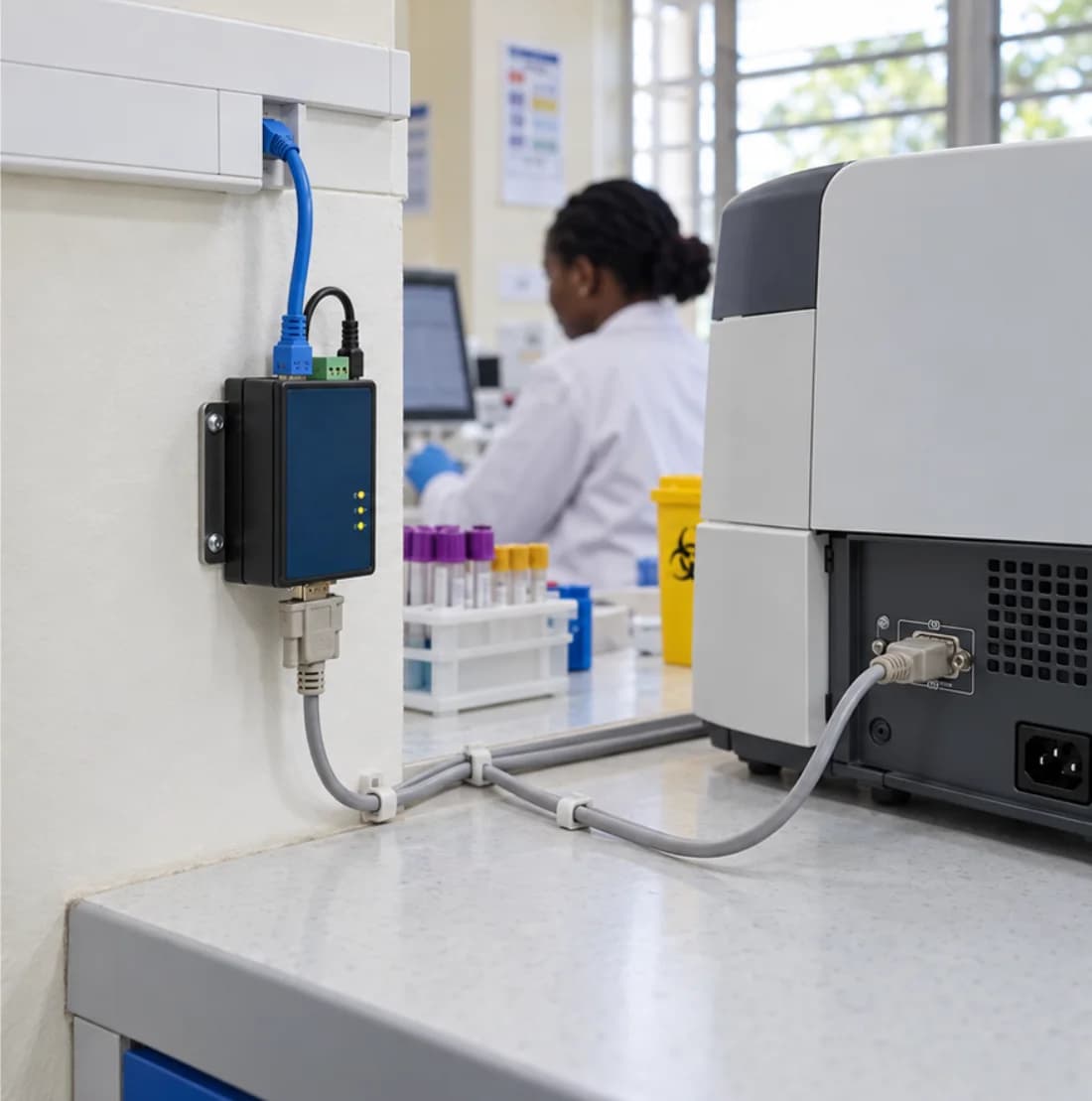
At the instrument
FTDI USB-RS232-WE
StarTech ICUSB232V2
Silicon Labs CP2102
Null-modem DB9
Straight-through DB9
DB25 adapters
When one cable will not reach
PUSR USR-N510, one port
MOXA NPort 5110, one port
MOXA NPort 5450, four
Serial to Wi-Fi bridge
Cat6 to the switch
Labelling and scanning
Specimen label printer
Wristband printer
Handheld scanner, corded
Handheld scanner, cordless
Cryo and ambient label stock
Thermal transfer ribbon
Managed connectivity
Teltonika RUT200
Teltonika RUT951, dual SIM
GL.iNet GL-X750V2
External SMA antennas
Managed DC switch
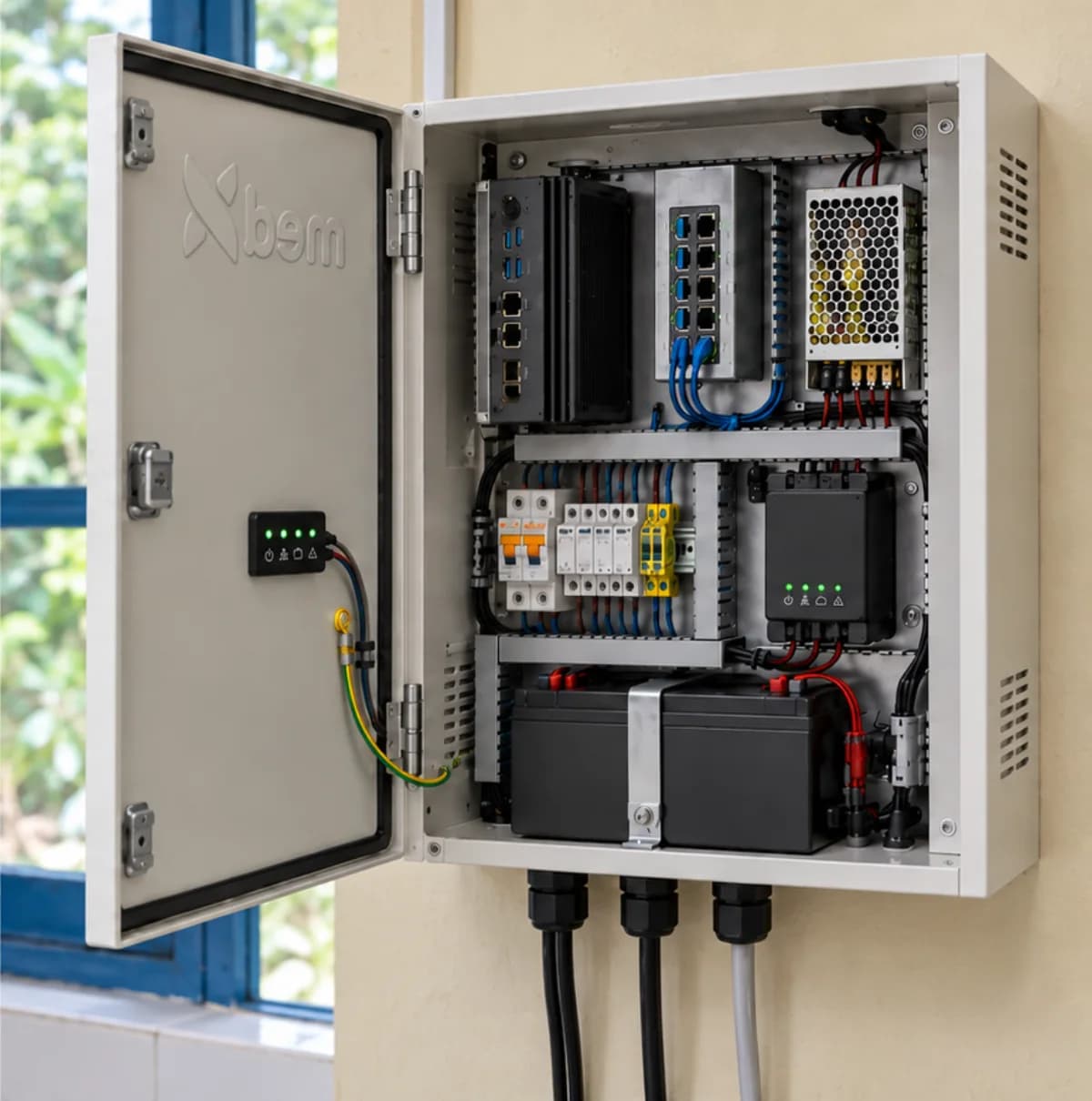
The unit
What is behind the door.
A lockable steel cabinet on the wall, holding the compute, the switch and the backup power on a removable mounting plate, with mains separated from data and every output protected on its own way in.
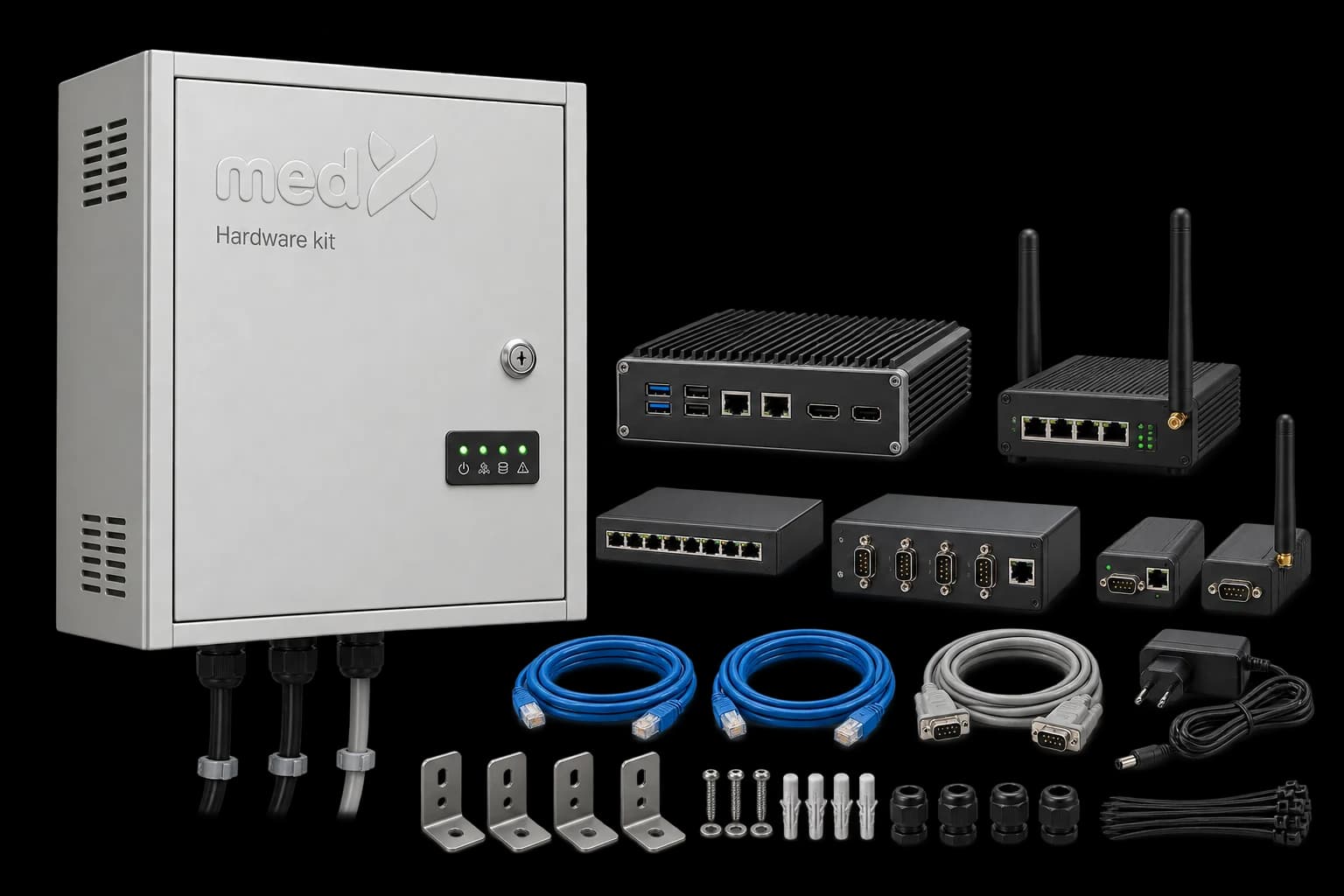
What arrives
Down to the wall plugs.
Cabinet, compute, router, switch, serial gateways, the cables between them, and the brackets, glands, fixings and ties it takes to mount the lot. What ships is set by the site survey, not by a catalogue page.
The problem
The last three metres are where deployments stall
The software is ready and the analyser is willing, and the project waits a month for a cable. Somebody orders a counterfeit adapter that drops the connection intermittently, an instrument turns out to need a null-modem rather than a straight-through, and the facility has no line to report over anyway. None of it is difficult. It is just nobody's job.
What it does
Somewhere for the systems to live.
A wall-mounted unit with its own battery, carrying the site through an outage instead of stopping with it. It replaces installing software onto whichever desktop happened to be free.
- Managed connectivity, included. A connection of the site's own for national reporting, with the data included and the unit managed centrally, so the reporting never waited on somebody's airtime.
- The parts between instrument and system. Adapters, serial device servers and the right cable for each analyser, specified against the instrument rather than guessed at.
- Looked after from where you are. Every unit reports its power, signal and state, and is updated and diagnosed remotely, so a fault rarely becomes a journey.
How it works
It arrives built, it goes on the wall, it is looked after from where you are.
STEP 1
We look at what is on the bench
Each analyser has its own answer: some take a network cable, some a USB adapter, some need a device server in the room. The list comes from the instruments, not from a catalogue.
STEP 2
It arrives built and specified
One configured delivery, installed and commissioned, wired to the instruments already there and joined to whatever network the site has.
STEP 3
It is managed from a distance
Power, signal and system state report continuously, and updates and fixes are pushed centrally rather than driven to.
What is in it
The parts, named.
Specified against the instruments on the bench. An analyser from 2009 and one from last year need different answers, and the list comes from the machines rather than from a catalogue.
Where the systems run
Everything else in the kit plugs into this. A lockable steel cabinet holding the compute, the networking and the backup power, wired to protected terminals and mounted on the wall, so Automation and the site's own record carry on through an outage instead of stopping with it.
At the instrument
Older analysers speak serial and expect a cable. Which cable depends on whether the instrument is wired as DTE or DCE, which is why this is specified rather than assumed.
When one cable will not reach
A device server puts an instrument's serial port on the network, so several analysers in one room reach the system without a host beside each of them.
Labelling and scanning
A sample that is not labelled at the point of collection gets labelled later, from memory, which is where mix-ups start. The kit supplies the printer at the bench, the scanner at each station it passes, and the stock that survives a freezer.
Managed connectivity
A line of the site's own for national reporting, with the data included, whitelisted to the systems that matter and managed centrally. For facilities whose own connection is unreliable, or absent.
We do not fit counterfeit PL2303 adapters. They drop the connection intermittently, which reaches you as an instrument that randomly stops sending results, and costs more in support than the part ever saved.
Talk to us about the Hardware Kit.
We deploy on-premises or in the cloud. Our team will walk you through a live instance scoped to your organisation.